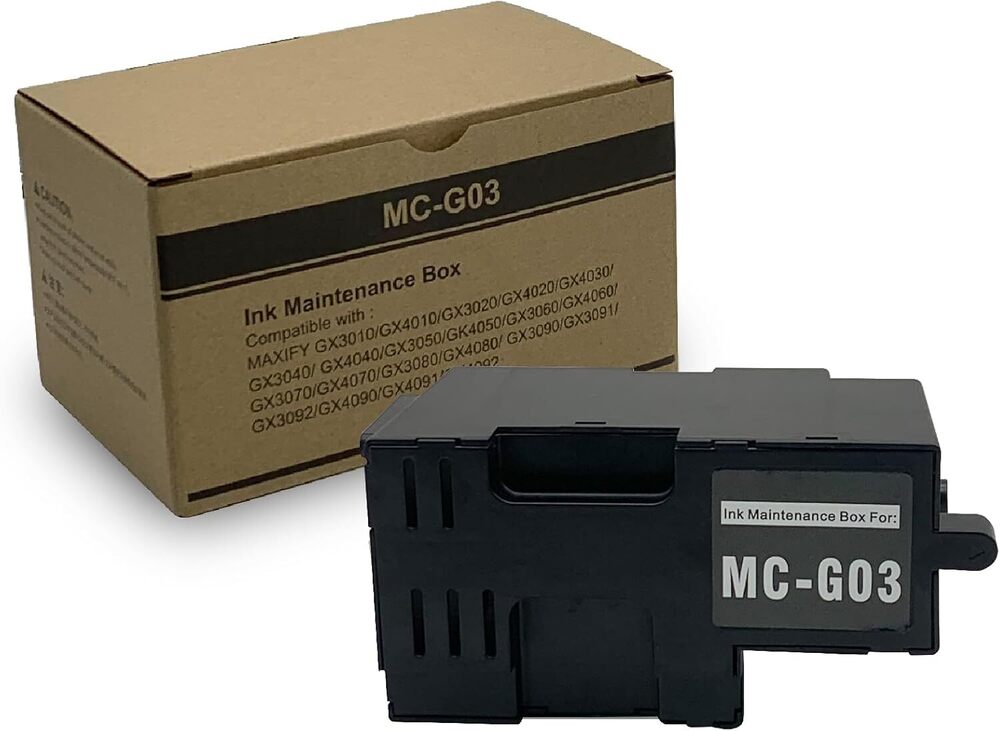
About Mc-g03 Printer Ink Maintenance Box Canon Maxify - Color: Black
Product Specifications
| Model No |
MC-G03 |
| Product Type |
MC-G03 Printer ink Maintenance BOX Canon MAXIFY |
| Color |
Black |
| For Use In |
Printer |
| Printer Type |
Canon |
| Size |
Standard |
| Supply Ability |
100 Per Day |
| Delivery Time |
7 Days |
| Color |
Black |
| Currency |
INR |
| Price |
600.00 INR (Approx.) |
| Stock Quantity |
100 |
| Price Type |
fixed |
| Unit Type |
Piece/Pieces |
| Brand Name |
PALAK COMPUTERS |
| Pkg Box Breadth |
5.00 cm |
| MRP |
708.00 INR |
| Mop |
10 |
| Packsize |
1 |
| Returnable |
No |
| Weight |
200.00 Gram |
| Pkg Box Height |
5.00 cm |
| Pkg Box Length |
5.00 cm |
| GSTIN |
18% |
| Shipping Type |
free |
| Minimum Ordered Packs |
10 |
Effortless Ink Waste ManagementWith the MC-G03 Maintenance Box, managing excess ink becomes seamless. Specially engineered for Canon Maxify printers, it efficiently collects and stores ink residue generated during regular maintenance. Its user-replaceable design ensures minimal downtime and optimal print quality.
Original OEM Quality for Peace of MindManufactured by Canon as an original part, the MC-G03 ensures a perfect fit and function. Its materials, including absorbent polymers and robust plastic housing, are tailored to handle the requirements of Maxify series printers reliably.
Sustainable and Easy DisposalDesigned with sustainability in mind, the MC-G03 box is recyclable. Users can easily swap out the maintenance box when full and discard it responsibly, making it a convenient and environmentally conscious choice.
FAQ's of Mc-g03 Printer Ink Maintenance Box Canon Maxify - Color: Black:
Q: How do I replace the MC-G03 Maintenance Box in my Canon Maxify printer?
A: To replace the MC-G03, open the designated compartment in your Canon Maxify printer, securely remove the used maintenance box, and insert the new one. Follow any on-screen instructions your printer provides for smooth installation.
Q: What function does the MC-G03 Maintenance Box serve?
A: The MC-G03 collects and stores excess ink produced during cleaning and maintenance cycles, preventing ink overflow and maintaining your printer's performance.
Q: When should I replace the MC-G03 Maintenance Box?
A: Replace the MC-G03 when your printer notifies you that the maintenance box is almost full or full. This timing varies based on usage, print volume, and specific Maxify printer model.
Q: Where is the MC-G03 Maintenance Box located in Canon Maxify printers?
A: The MC-G03 Maintenance Box is typically housed in a dedicated compartment accessible from your printer's exterior or through a service panel. Consult your printer's manual for exact placement.
Q: What is the replacement process for the MC-G03 Maintenance Box?
A: Ensure the printer is powered on, open the maintenance panel, remove the saturated maintenance box, and insert the new MC-G03 unit. Secure it firmly before closing the panel. Dispose of the used box following local recycling guidelines.
Q: How does using the MC-G03 benefit my Canon Maxify printer?
A: Using the MC-G03 helps prevent printer malfunctions caused by ink overflow, supports consistent print results, and extends the life of your device by containing waste ink safely.
Q: Can the MC-G03 Maintenance Box be recycled?
A: Yes, the MC-G03 is made with recyclable materials. After replacing, follow your local recycling protocols to dispose of the used maintenance box responsibly.




 Send Inquiry
 Send Inquiry

